
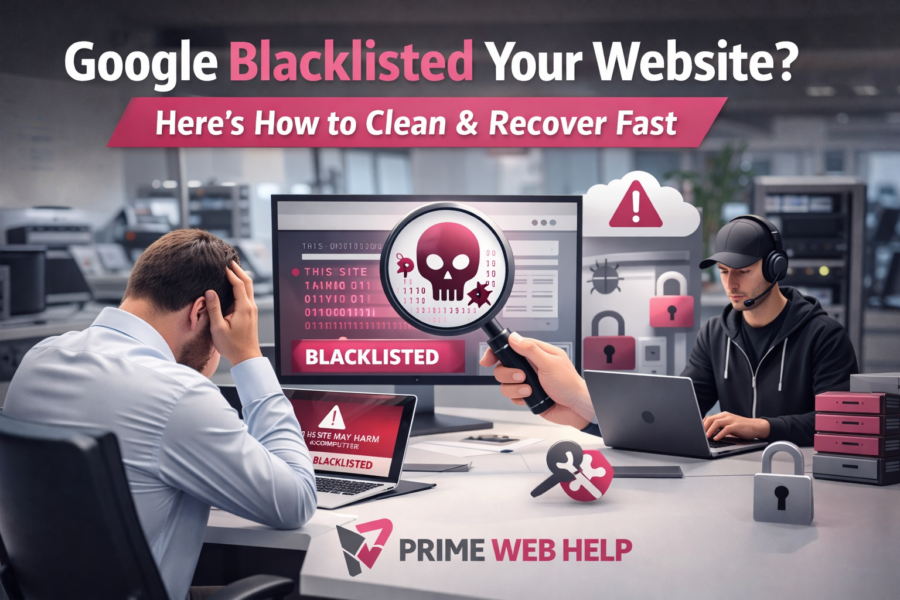
When Google Turns Against Your Website
you are dealing with a google blacklisted website problem Have you ever checked your website and noticed something strange? Traffic suddenly drops. Rankings disappear. Visitors stop coming.
At first, it feels confusing. However, the real reason could be serious. You may be dealing with a google blacklisted website.
This issue does not only affect SEO. Instead, it directly impacts your business. Your reputation suffers. Your customers lose trust. As a result, your revenue starts dropping.
Many website owners ignore early signs. Consequently, the problem becomes worse over time.
Fortunately, you can still recover. But you must act quickly. In this guide, you will learn how to identify, fix, and prevent this issue effectively.
What Does a Google Blacklisted Website Mean
Fixing a google blacklisted website quickly is important for business survival.
Google blacklisting happens when your website becomes unsafe for users. Therefore, Google shows warning messages before visitors enter your site.
For example, users may see alerts like “This site may be hacked.” Because of this, most people leave immediately.
As a result, your traffic drops. In addition, your rankings disappear from search results.
Clearly, Google focuses on user safety. So, it blocks risky websites without delay.
Why Your Google Blacklisted Website Happens
Many people believe this happens randomly. However, that is not true. In most cases, security weaknesses cause the problem.
Common Causes Behind Blacklisting
- Malware hidden inside website files or database
- Outdated plugins, themes, or CMS systems
- Weak passwords and poor security settings
Over time, these issues create vulnerabilities. Eventually, hackers take advantage of them. After that, Google detects suspicious activity and blocks your website.
Warning Signs Your Website Is Already at Risk
Before blacklisting happens, your website gives warning signals. Unfortunately, many users ignore them.
Key Red Flags You Should Notice
- Sudden drop in website traffic without reason
- Browser showing security warnings to visitors
- Hosting provider suspending your website
If you notice these signs, you should act immediately. Otherwise, the situation may become worse.
The Real Impact of a Blacklisted Website
This problem affects more than just rankings. In fact, it damages your entire business.
Traffic and Ranking Loss
First of all, your website disappears from search results. As a result, you lose organic traffic instantly.
Trust and Brand Damage
Next, visitors see warning messages. Because of this, they lose trust in your brand.
Loss of Leads and Sales
Without traffic, conversions stop. Therefore, your business growth slows down.
Long-Term SEO Problems
Even after fixing the issue, recovery takes time. Google needs to trust your website again.
How to Fix a Google Blacklisted Website Quickly
Before you panic, you should verify the issue.
Start by searching your domain on Google. Then, check for warning messages. After that, review Google Search Console for security alerts.
Sometimes, hosting providers also send notifications.
If you see any warning, you must act fast.
Website Cleaning and Recovery Process
Fixing a google blacklisted website requires a proper approach. You cannot rely on guesswork.
Find the Source of Infection
First, identify where the malware exists. It may be in files, plugins, or database.
Remove All Malicious Code
Next, delete every harmful file and script. Even a small leftover file can cause reinfection.
Fix Security Issues
Then, update plugins, themes, and system settings. This step removes vulnerabilities.
Strengthen Protection
After that, add security layers such as firewalls and login protection.
Request Google Review
Finally, submit your website for review. Once approved, Google removes the blacklist warning.
Why DIY Cleaning Creates More Problems
Many website owners try to fix the issue themselves. However, this often leads to bigger problems.
Common DIY Mistakes
- Removing important files accidentally
- Missing hidden malware or backdoors
- Ignoring the root cause of the issue
Because of these mistakes, websites get hacked again. Therefore, professional help becomes necessary.
Why Professional Website Cleaning Works Better
Professional services provide complete solutions. They do not just remove malware. Instead, they secure your entire website.
Prime Web Help offers advanced website cleaning services. We focus on deep scanning, complete removal, and long-term protection.
Moreover, our team ensures your website recovers quickly. At the same time, we prevent future attacks.
With Prime Web Help, you get reliable and safe recovery solutions.
Visit More info: Fix Your Blacklisted Website Now
Hidden Problems Most Website Owners Miss
Even after cleaning, some issues remain hidden. Therefore, your website may still be at risk.
Reinfection Risk
If backdoors remain, hackers can return anytime.
SEO Spam Damage
Hackers often create spam pages. These pages stay indexed and harm your rankings.
Database Issues
Malware can damage your database. As a result, your website performance suffers.
How Long Does Recovery Take
Recovery depends on the level of damage. However, quick action improves results.
Cleaning usually takes a few hours or days. After that, Google review may take several days.
SEO recovery takes longer. Still, consistent effort helps regain rankings faster.
How to Prevent Future Blacklisting
Once your website is clean, you must focus on prevention.
Essential Security Practices
- Update plugins, themes, and CMS regularly
- Use strong passwords and secure hosting
- Monitor your website for suspicious activity
By following these steps, you reduce future risks significantly.
Why Choose Prime Web Help
Choosing the right service provider is important. You need someone who understands both security and SEO.
Prime Web Help delivers fast and reliable website cleaning services. We remove malware, fix vulnerabilities, and secure your website completely.
In addition, we help you recover rankings and protect your business.
If your website is blacklisted, Prime Web Help provides the right solution at the right time.
Conclusion: Take Action Before It’s Too Late
A google blacklisted website can destroy your traffic if you delay action.
However, ignoring the issue makes it worse. Therefore, quick action is necessary.
You need proper cleaning, strong security, and expert support. Only then can your website recover fully.
If you are facing this problem, do not wait.
Get expert help now: Secure and Clean Your Website Today
Your website can recover. You just need to take the right step at the right time. 🚀